Small object detection
Insects on a sticky trap, cells on a microscope slide, cars in a satellite scene, cracks on a wind turbine blade: these objects are often only 10 to 30 pixels wide in an image that is thousands of pixels wide. Most detectors resize their input to about 640 pixels, and at that size the objects all but disappear.
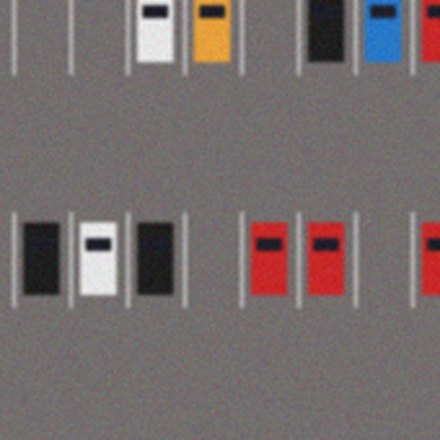
The fix is to never shrink the image: train on tiles, run the model on tiles, then put the detections back on the full image. plakakia does every step, with any model: training tiles come from one command, and prediction plus merging is one function call.
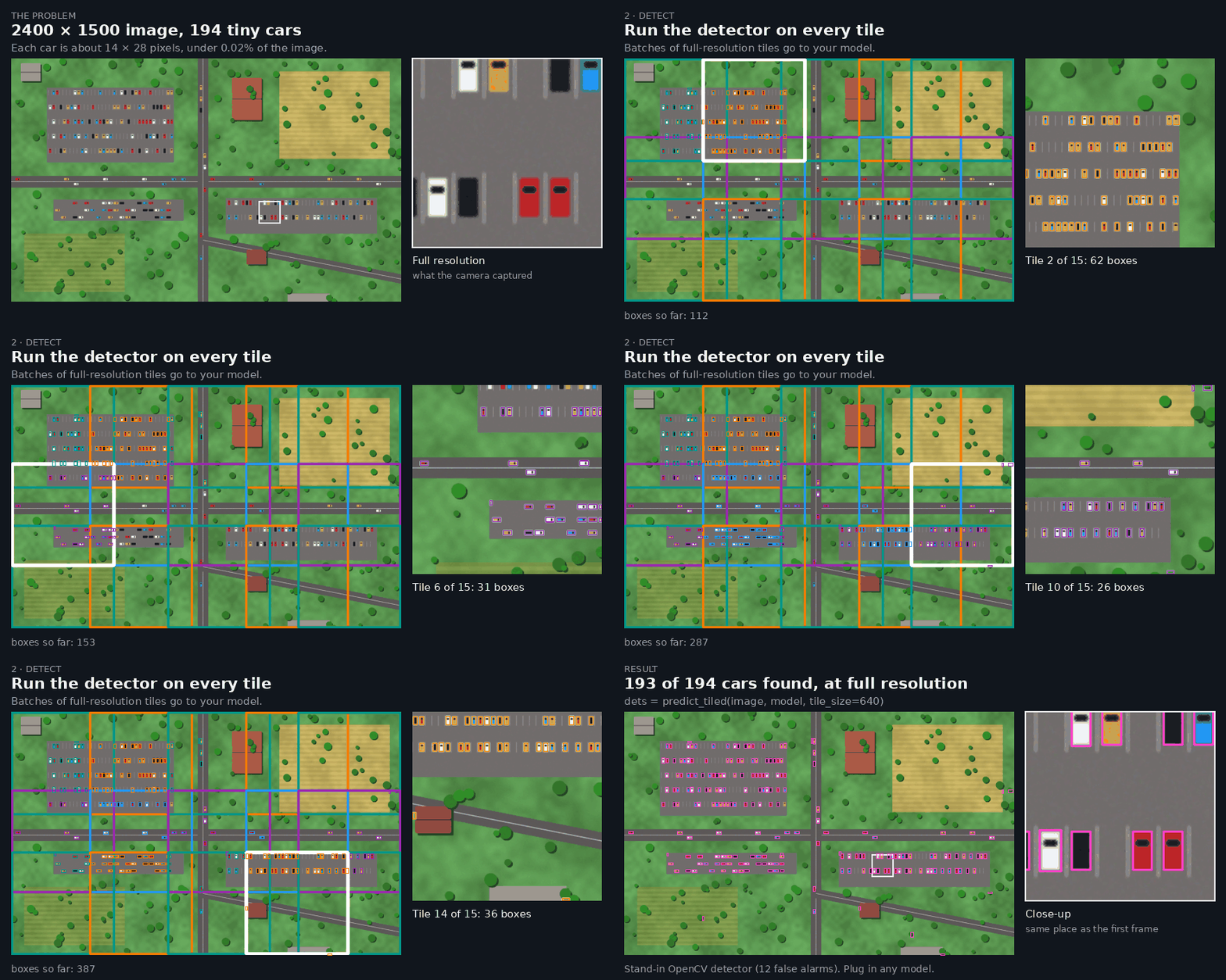
1. Train     big images + labels ──► plakakia ──► tiles + labels ──► train
2. Predict   big image ──► predict_tiled(image, model) ──► boxes on the full image
               (tiles in batches ► your model ► shift by tile offsets ► merge duplicates)
1. Train on tiles
Tile your labelled dataset once, then train any detector on the tiles as if they were normal images.
input_dir_images: data/images
input_dir_annotations: data/labels
input_format_annotations: yolo
tile_size: 640          # your model's input size
step_size: 480          # 25% overlap: objects cut by a border are whole next door
cover_edges: true
min_visibility: 0.6     # keep objects at least 60% inside a tile
save_empty_tiles: true  # background tiles: what is *not* an object
num_workers: -1
plakakia --config config.yaml
Choosing the tile size
Use the input size of your model, so tiles are not resized again during training. Objects should be well under half the tile; if some objects are larger than that, also train on downscaled full images, or use a bigger tile.
2. Predict and merge in one call
At inference time, predict_tiled cuts the image with the same tile_size, runs your
model on batches of tiles, moves every box from tile to image coordinates and removes
the duplicates. You only tell it how to call your model: a function that takes a batch of
tiles and returns (boxes, scores, class_ids) for each tile, in tile pixels.
import cv2
from ultralytics import YOLO

from plakakia import predict_tiled

yolo = YOLO("trained_on_tiles.pt")


def model(tiles):
    results = yolo.predict(list(tiles), imgsz=640, conf=0.25, verbose=False)
    return [(r.boxes.xyxy, r.boxes.conf, r.boxes.cls) for r in results]


image = cv2.imread("trap_042.jpg")
dets = predict_tiled(image, model, tile_size=640)
dets.boxes, dets.scores, dets.class_ids  # (N, 4), (N,), (N,) on the full image
import torch

from plakakia import predict_tiled

net = torch.load("detector.pt").eval().cuda()
image = torch.from_numpy(rgb).permute(2, 0, 1).float().cuda() / 255  # (3, H, W)


@torch.no_grad()
def model(tiles):  # tiles: (B, 3, 640, 640), already on the GPU
    return [(o["boxes"], o["scores"], o["labels"]) for o in net(tiles)]


dets = predict_tiled(image, model, tile_size=640, axes=(1, 2), batch_size=32)
import cv2

from plakakia import predict_tiled

image = cv2.imread("trap_042.jpg")
# my_detector(tile) -> (boxes (N, 4) x1 y1 x2 y2, scores (N,), class_ids (N,))
dets = predict_tiled(image, lambda tiles: [my_detector(t) for t in tiles], tile_size=640)
The tiles keep the type of the image: a NumPy image gives NumPy batches, and a PyTorch or CuPy tensor on a GPU gives batches on that GPU. Your model may return NumPy arrays, tensors on any device, or lists.
What the merge does
- Offsets. Each tile's boxes are moved by the tile's top-left corner, so they are in full-image pixels.
- Duplicates. An object in the overlap of two tiles is found twice. Non-maximum
suppression (NMS), per class, keeps the best box of each group that overlaps by more
than
iou_threshold(0.5). - Cut objects. An object on a tile border is only partly visible in that tile, so its
box there is cut off, and too small to look like a duplicate of the full box from the
neighbouring tile.
predict_tiledknows which boxes touch an inner tile border: it fuses them with the box that contains them, and joins the parts of an object that meet at a border into one box (even without overlap). Turn this off withfuse_seams=False.
| Option | Default | Use it to |
|---|---|---|
step_size |
80% of tile_size |
set the overlap |
batch_size |
16 | fit your GPU memory |
score_threshold |
0 | drop weak boxes before merging |
iou_threshold |
0.5 | merge more (lower) or fewer (higher) boxes |
class_agnostic |
False |
merge overlapping boxes of different classes |
full_image |
False |
also find objects larger than a tile (below) |
Building your own pipeline? tile_batches yields the batches with their coordinates,
and merge_detections merges boxes you already have.
Objects larger than a tile
Pass full_image=True: the model also runs once on the whole image, downscaled to
tile_size. Large objects are found there and small ones in the tiles, and the
two are merged together.
On maps
For satellite and drone imagery, read the scene with plakakia.io.read_geotiff and pass
its profile along. The detections then know where they are on Earth, and go straight
into QGIS or any GIS as GeoJSON:
import json

from plakakia import predict_tiled
from plakakia.io import read_geotiff

scene, profile = read_geotiff("orthomosaic.tif")  # (bands, H, W)
dets = predict_tiled(scene, model, tile_size=640, axes=(1, 2), profile=profile)

geojson = dets.to_geojson(class_names=["car", "truck"])  # polygons in the scene's CRS
with open("detections.geojson", "w") as f:
    json.dump(geojson, f)
Each feature is a box polygon in map coordinates with its score, class_id and
class_name. dets.map_polygons() gives the same corners as an array. See
Hyperspectral & geospatial for tiling GeoTIFFs.
Checklist
- Same
tile_sizefor training and inference. - 20 to 30% overlap (
step_size= 0.7 to 0.8 ×tile_size). cover_edges: true, so objects at the image border are not missed.- Some empty tiles in the training set (
save_empty_tiles). predict_tiledwith the sametile_size, andfull_image=Trueif some objects are large.